
This guide will help you decide if WordPress is right for you and how it works. It is the backbone of millions of websites around the world, but beginners often find it difficult to understand because of false information and conflicting opinions online.
This detailed guide will explain it in simple terms, talk about its pros and cons, answer common questions from beginners, and help you decide if it’s still worth learning and using in 2026.
What Is WordPress, and Why Is It Used?
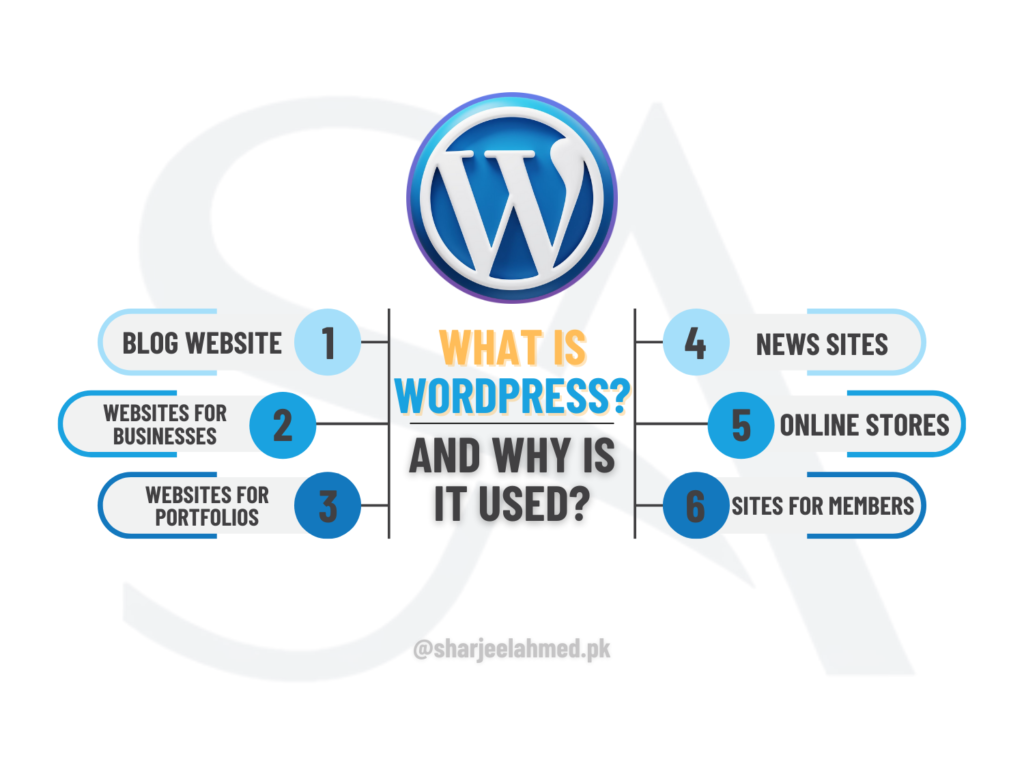
It is a free and open-source Content Management System (CMS) that lets people build, run, and change websites without having to write complicated code.
It initially began as a blogging platform, but it has since evolved into a robust system for creating:
- Blogs
- Websites for businesses
- Websites for portfolios
- News sites
- Online stores
- Sites for members
It is popular because it is so flexible. It is ideal for all skill levels because themes and plugins can be customized for any need.
It is the world’s most popular CMS, used by over 40% of all websites.
Why Are People Moving Away From WordPress?
Some people might say that people are “leaving WordPress.” In fact, most users leave because of bad implementation, not because it is old.
- Some common reasons are:
- Using themes or plugins that aren’t excellent
- Hosting that is cheap or slow
- No updates for security
No idea how to optimize
At first, platforms like Wix or Shopify seem easier, but they don’t give you much control. WordPress, on the other hand, takes some time to learn but can grow with you over time.
What Are the Disadvantages of WordPress?
It is a fantastic tool, but it’s not perfect. Some of the bad things are:
- It needs to be updated frequently for security.
- The system can become slower if it has too many plugins installed.
- It requires a basic understanding of technology to use advanced features.
- User habits affect security.
However, we can fix these problems. Proper hosting, the right themes, and the right plugins can make WordPress sites fast, safe, and reliable.
How Much Does It Cost Per Month?
It is free, but there are other costs that come with running a website:
- The cost of web hosting ranges from $3 to $15 per month.
- Domain name: $10–$15 a year
- Optional premium themes or plugins
It is a very cost-effective option for small businesses and startups when compared to building a website from scratch.
What’s the Difference Between a Website and WordPress?
The last thing users see online is a website.
That website was made and is run with it.
In short:
- Website = Output
- WordPress is a tool.
With it, you can change the content, design, and functionality of your site without having to start over from scratch.
What makes understanding WordPress so challenging?
Many beginners find it challenging because:
- There are too many choices.
- Hosting and domains are things that people don’t know about.
- There are thousands of themes and plugins that can be difficult to understand.
It is simple and makes sense once you know the basics: the dashboard, pages, posts, themes, and plugins.
Do People Still Use WordPress in 2026?
Yes, it is still widely used in 2025.
It continues to dominate because:
- It is actively maintained and updated
- It has a massive global community
- It supports modern SEO and performance standards
- It integrates with AI, automation, and marketing tools
Major brands, agencies, and freelancers still rely on it for professional projects.
Is It Hard to Learn WordPress?
No, it is not difficult to learn, especially for beginners.
You can learn quickly:
- How to set up it
- How to make posts and pages
- How to change themes
- How to use add-ons
It takes time to learn advanced skills, but building a basic website is easy.
How Much Time Does It Take to Learn WordPress?
How long it takes to learn depends on what you are keen to learn:
- Basic use: 2–3 days
- Building a whole website takes 1 to 2 weeks.
- 1–3 months for advanced customization and development
It becomes easy to use with regular practice.
Is WordPress Harder Than Coding?
No. It is a lot easier than coding by hand.
You can make websites with:
- You can create websites using pre-made themes
- Page builders that let you drag and drop
- Add-ons for more advanced features
You only need to code if you want to make many changes or make your own plugins.
Is WordPress Hard to Learn for Beginners?
People who don’t know much about technology can use WordPress. People who have never built a website before can do so.
Most of the problems beginners have come from:
- Not having structured learning
- Going too fast into advanced features
It is easy for beginners to use because it has a step-by-step guide.
Can ChatGPT Build a WordPress Website?
ChatGPT can help by:
- Writing content that works well with it
- Providing suggestions for themes and plugins
- Making codes in CSS, HTML, or PHP
- Giving step-by-step instructions
But ChatGPT doesn’t take the place of people making decisions and carrying them out. It is not a full website builder; it is a support tool.
What Is WordPress, in Simple Terms?
In simple words:
It is a tool that helps you create and manage a website without needing coding skills.
Can You Teach Yourself WordPress?
Yes, many WordPress professionals learned how to do it on their own.
You can learn how to use it by:
- Tutorials that are free
- Projects for practice
- Documentation online
- Forums for the community
Learning on your own is useful and cheap.
Why Would Anyone Use WordPress?
It is popular because it has:
- Full control over the website
- You can change anything you want.
- Strong SEO skills
- Ability to grow in the future
- Not relying on just one company
It is perfect for people and businesses that want to be online for a long time.
Can I Learn WordPress in Three Days?
Yes, You can learn in three days:
- How to get around the WordPress dashboard
- Making pages and posts
- Changing the theme
- Installing plugins
You can make a simple WordPress website in this time, but you need to practice getting proficient at it.
Is WordPress really free?
Yes, WordPress.org is free to use.
You only pay for:
- Hosting
- Domain
- Tools that cost extra
There are no fees for licenses.
Can WordPress Be Completely Free?
Yes, in a technical sense. You can use:
- Hosting for free
- Themes that are free
- Plugins that are free
But free setups have their limits and shouldn’t be used for professional websites.
What Can’t You Do on Free WordPress?
A lot of the time, free versions of it are limited:
- Plugins made just for you
- More complicated themes
- Ways to make money
- Improving performance
These limits can make growth slower.
What Are the Limitations of Free WordPress?
- Not enough space
- Ads that are forced
- No advanced SEO tools
- Limited ability to customize
Paid hosting is best for big projects.
Is There a Free Alternative to WordPress?
Here are some other options:
- Wix
- Blogger
- Webflow
But these platforms don’t let you change things or own them as much as it does.
Is WordPress Worth It in 2026? The Final Decision
Yes, it is still the best platform for building websites in 2026.
It gives you more control, flexibility, cost-effectiveness, and scalability than anything else. It is a fantastic way to build a professional online presence, whether you’re a beginner, a freelancer, or a business owner.